AI Automation for Small Businesses: 10 Workflows to Automate First
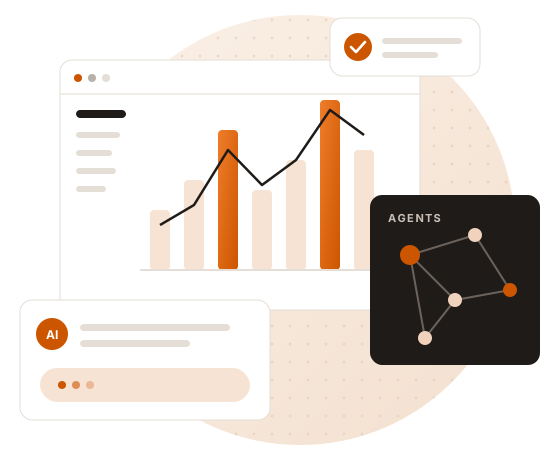
AI automation is no longer just for enterprises. With today’s language models and no-code tools, a small business can automate the repetitive work that quietly eats its team’s week. The trick is choosing the right workflows. Here are ten that consistently pay off, plus a simple way to decide where to start.
10 workflows worth automating
- Lead capture and qualification – read form submissions and emails, score leads and route hot ones to sales instantly.
- Customer support replies – draft answers to common questions from your FAQ and policies, with a human approving before sending.
- Invoice and receipt processing – extract amounts, dates and vendors from PDFs into your accounting sheet.
- Meeting notes and follow-ups – summarise calls, list action items and draft follow-up emails.
- Proposal and presentation drafts – turn a short brief into a first-draft deck, like our PowerPoint AI Generator.
- Recruitment screening – match CVs to job descriptions and shortlist candidates.
- Social media and blog content – create on-brand first drafts from your notes and product updates.
- Weekly reporting – pull numbers from several tools and write a plain-English summary.
- Data clean-up – fix duplicates, categorise records and fill missing fields in your CRM.
- Internal knowledge search – let staff ask questions about documents, SOPs and past projects with a RAG pipeline.
How to pick your first automation
Score each candidate workflow on three things: volume (how often it happens), time per task, and risk (what happens if it goes wrong). Start with high-volume, low-risk work where a human can easily check the output. Lead qualification, reporting and document processing usually win.
Tools behind modern AI automation
Most projects combine an LLM (for understanding text), a workflow tool such as n8n, and connections to the apps you already use: Google Workspace, Microsoft 365, HubSpot, Zoho, Slack or your own database. For more complex, decision-heavy processes, AI agents take over where fixed workflows stop.
What an AI automation project looks like
- Discover: we map the workflow, data and tools with your team.
- Design: we agree what is automated, what a human approves and how success is measured.
- Build: a working pilot on real data, usually within weeks.
- Hand over: documentation, training and support so your team owns it.
Common mistakes to avoid
- Automating a broken process instead of fixing it first.
- Skipping human review on customer-facing output.
- Not measuring time saved, so nobody knows if it worked.
- Connecting tools with more access than the automation needs.
Start with Cardzo
Cardzo provides AI automation services — plus website & app development — to small and growing businesses worldwide. Tell us which tasks take the most time and we will suggest where automation pays off first. Get a quote or explore our AI projects.
Frequently asked questions
Is AI automation expensive for a small business?
It does not have to be. Starting with one focused workflow keeps cost low, and the time saved often pays for the project quickly.
Do I need technical staff to run AI automations?
No. Well-built automations run in the background, and we provide documentation and training so your team can manage them.
Which tools do you integrate with?
Common ones include Google Workspace, Microsoft 365, Slack, HubSpot, Zoho, spreadsheets, databases and custom APIs.